
Concept to Prototype in a Day: My Experience at the AI-Powered Humanity-Centred Design Hackathon
I am always eager to dive into new technologies, and a recent full-day workshop provided the perfect opportunity to do just that. I headed to the historic RSA House in Central London for the AI-Powered Humanity-Centred Design Hackathon.
The event, hosted by SOGLAB and supported by Google and The Watson Institute, was a rapid-fire masterclass in combining ethical design thinking with the incredible speed of modern AI tools.
Tackling a Real-World Safety Crisis
The hackathon began by randomly assigning each small team of 3 to 5 people a societal issue to develop a digital product prototype around. Our group’s brief was to tackle the lack of personal safety for people using public transport or walking the streets, a problem that deeply resonates, especially with women. The overall goal for the day was to use AI to help us rapidly create a genuinely helpful and user-focused prototype.
Designing Products with Ethical Purpose
We adopted SOGLAB’s process, structuring our product development using a detailed, empathy-driven methodology.
To execute this, we laid out our notes and findings across three dedicated canvases within the online whiteboard platform, Miro.
1. Connect Canvas
The first phase, the Connect Canvas, was a deep dive into rigorous ethics mapping. This was more than brainstorming; it was a detailed analysis that ensured our solution was grounded in reality and charted the entire problem’s scope, far beyond just the immediate user.
- Facts: We focused on establishing facts about the entity’s role, noting whether they were impacted by the problem or actively contributing to it.
- Assumptions: We openly challenged our own thinking by listing every unverified belief or stereotype we held about the entity’s motivations or intent.
- Constraints: We defined the non-negotiable boundaries. This included all legal, ethical, and physical rules, resources, or rights that our design absolutely could not compromise.
This analysis allowed us to define the four key elements that would serve as the foundation for our product idea:
- Core Impact Statement (Who/What)
- The Hidden Root (Why)
- Reframed Problem Statement
- Biggest Ethical Risk
2. Imagine Canvas
The second phase, the Imagine Canvas, was all about transforming our Problem Statement into a tangible concept. First, our group began brainstorming solutions to the problem statement identified in the previous canvas. But the real breakthrough came from opening up the process. In short, two-minute intervals, every group rotated to our table to review the problem and contribute their own ideas, quickly providing us with a massive and diverse range of concepts from the entire workshop.
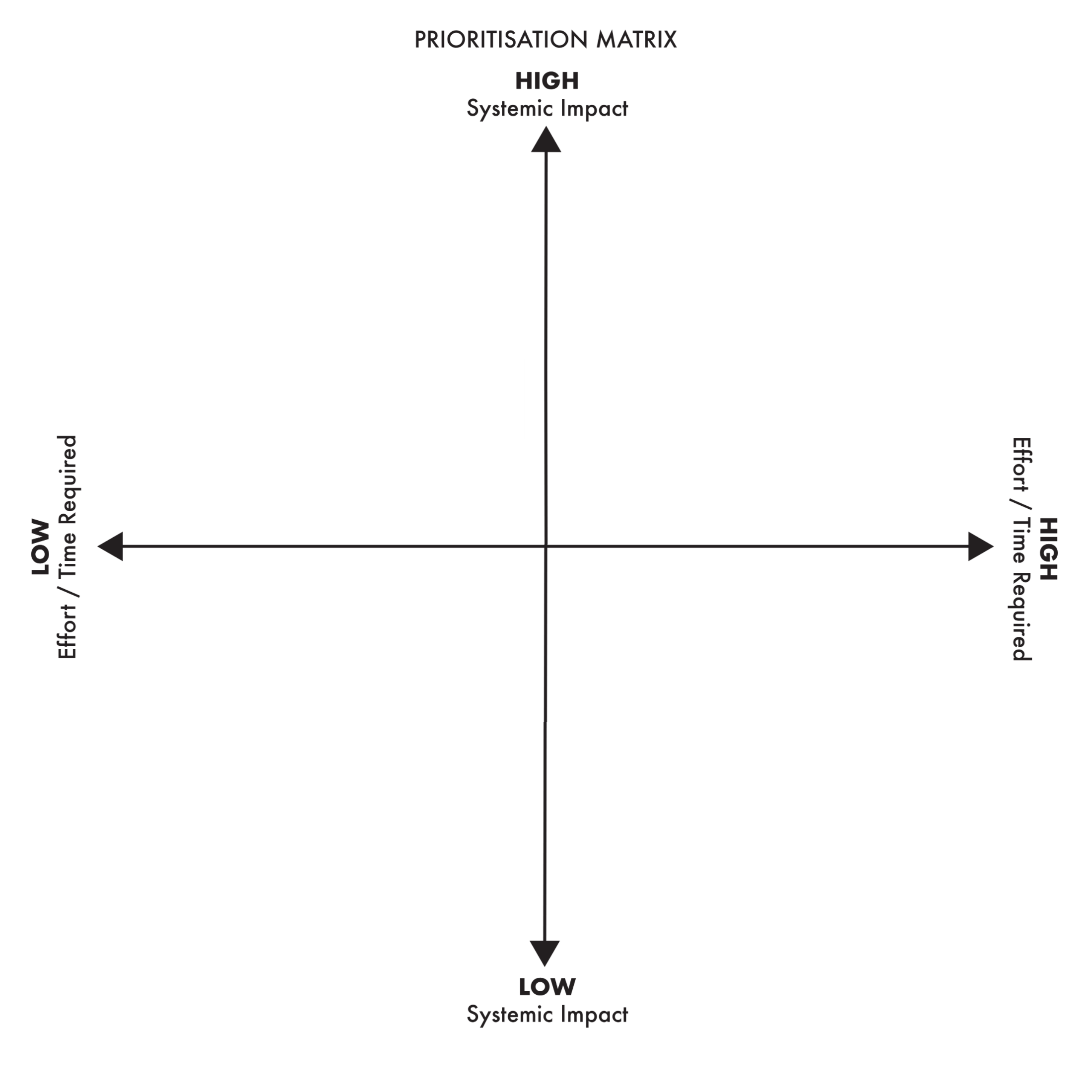
The next task was analytical. We immediately placed all ideas onto a Prioritisation Matrix. This involved rating each solution across two key axes: how much Systemic Impact it could have, against the Effort/Time Required for us to implement it.
With the matrix complete, we quickly locked in our Solution Core Concept. The team’s decision was to develop a mobile application targeting women aged 18 to 35 as the primary demographic, but ensuring it retained essential safety utility for everyone.
The Core Concept:
- Primary Feature: Our primary feature is a dynamic, Google Maps-style route planner. Users can use toggles to specify their safety needs (e.g., maximising street lighting or avoiding high-crime areas), with the accepted trade-off being that the safest route may not be the fastest.
- Secondary Features: We include an emergency contact button for immediate alerts to police and family, alongside a report button that allows users to document incidents and inform the rest of the user community.
- Personalisation: The app features a widget-style homescreen, akin to the iOS Control Centre, allowing users to build, share, and organise their own personalised safety tools with other community members.
Defining AI’s Role and Ethical Guardrails
With the Solution Core Concept established, we moved on to defining the AI Intervention Role—the exact function AI would serve within the product. We then carefully established Ethical Guardrails to combat the ethical risks identified earlier. This involved specifying the rules and filters the AI system had to follow to ensure safe operation.
3. Create Canvas
The final canvas was the Create Canvas. This phase focused on practicality, using a standard user journey map to transform our plans into a concrete design. This exercise allowed us to clearly visualise how every element defined in the previous stages would interact and perform within a real-world product.
The Prototyping Phase
With all the strategy locked down, it was time to start building a tangible prototype. To do this, we harnessed the power of two powerful Google products.
We began with Google Stitch, an AI UI design tool created by Google Labs. It quickly generates user interface designs based on text instructions or image uploads, making the journey from initial concept to tangible prototype much faster.
To guide the AI toward the best results that matched our vision, we didn’t just type in a random request. Instead, we used SOGLAB’s structured prompt templates, inserting our core decisions—like the Problem Statement and Solution Core Concept—into the designated fields. Giving the AI specific context was the key to achieving a UI design aligned with our project goals.
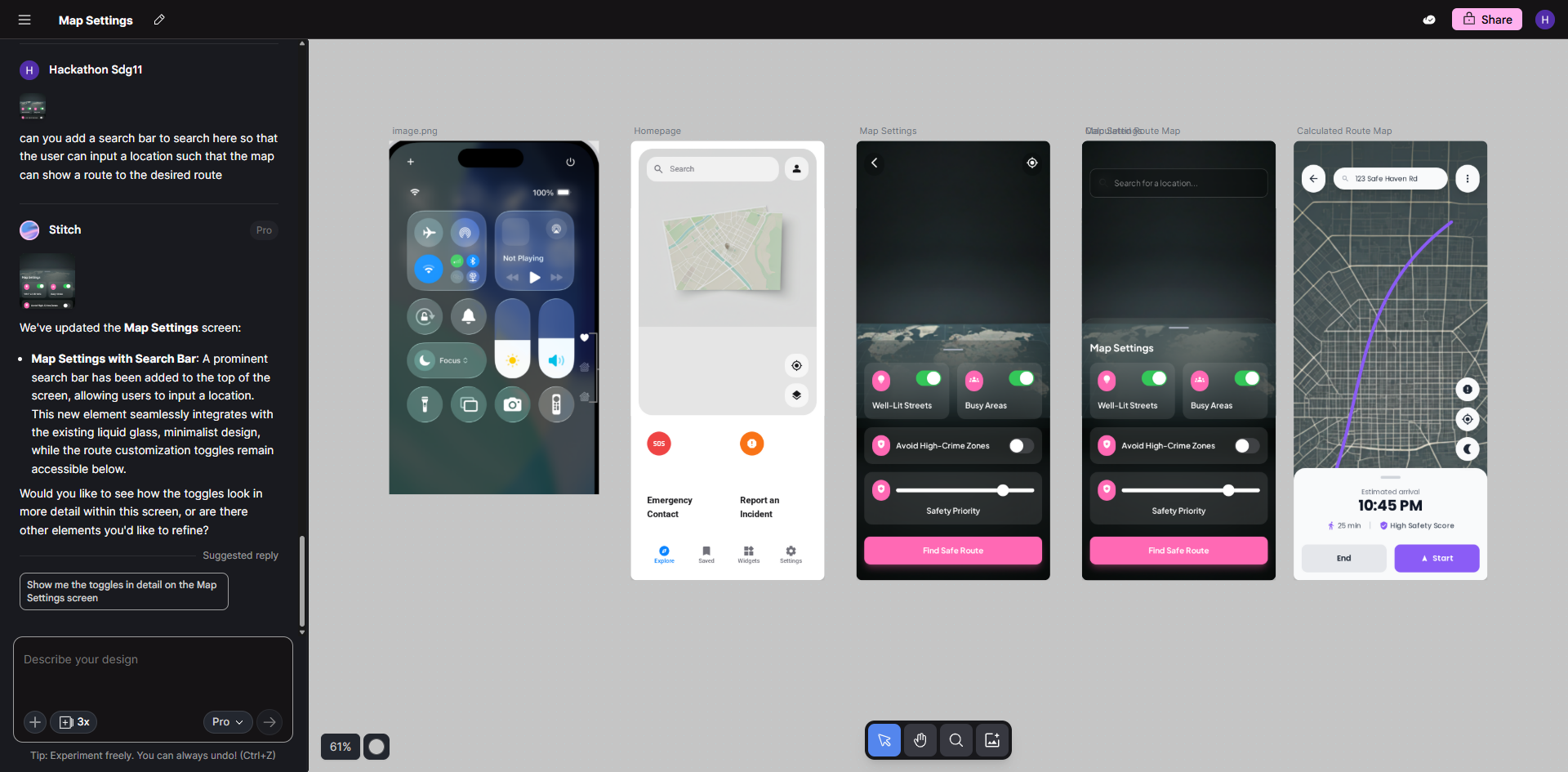
We didn’t stop at the first draft. We refined the UI designs through further prompts, leveraging both text and image inputs. A technique my team used was image referencing: we uploaded an image of the iOS Control Centre to Google Stitch, specifically instructing the AI to use it as a source of visual inspiration for our app’s interface.
Next, we exported our UI designs from Google Stitch into Google AI Studio, a web-based environment used for prototyping applications with Google’s Gemini models.
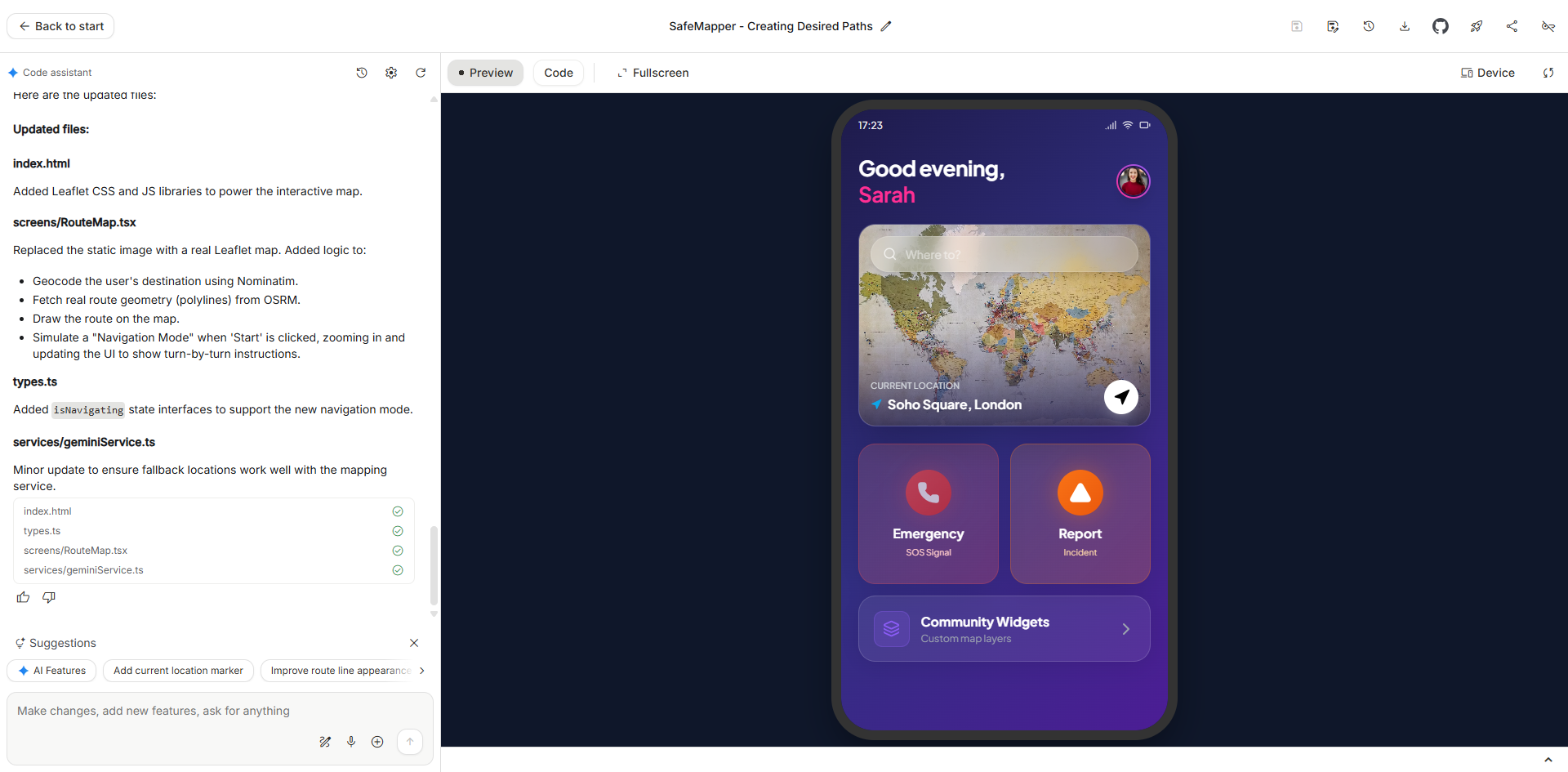
Within Google AI Studio, we once again input one of SOGLAB’s prompts, inserting our carefully formulated strategy into the required fields. We sent the prompt, and in under two minutes, the final prototype was ready.
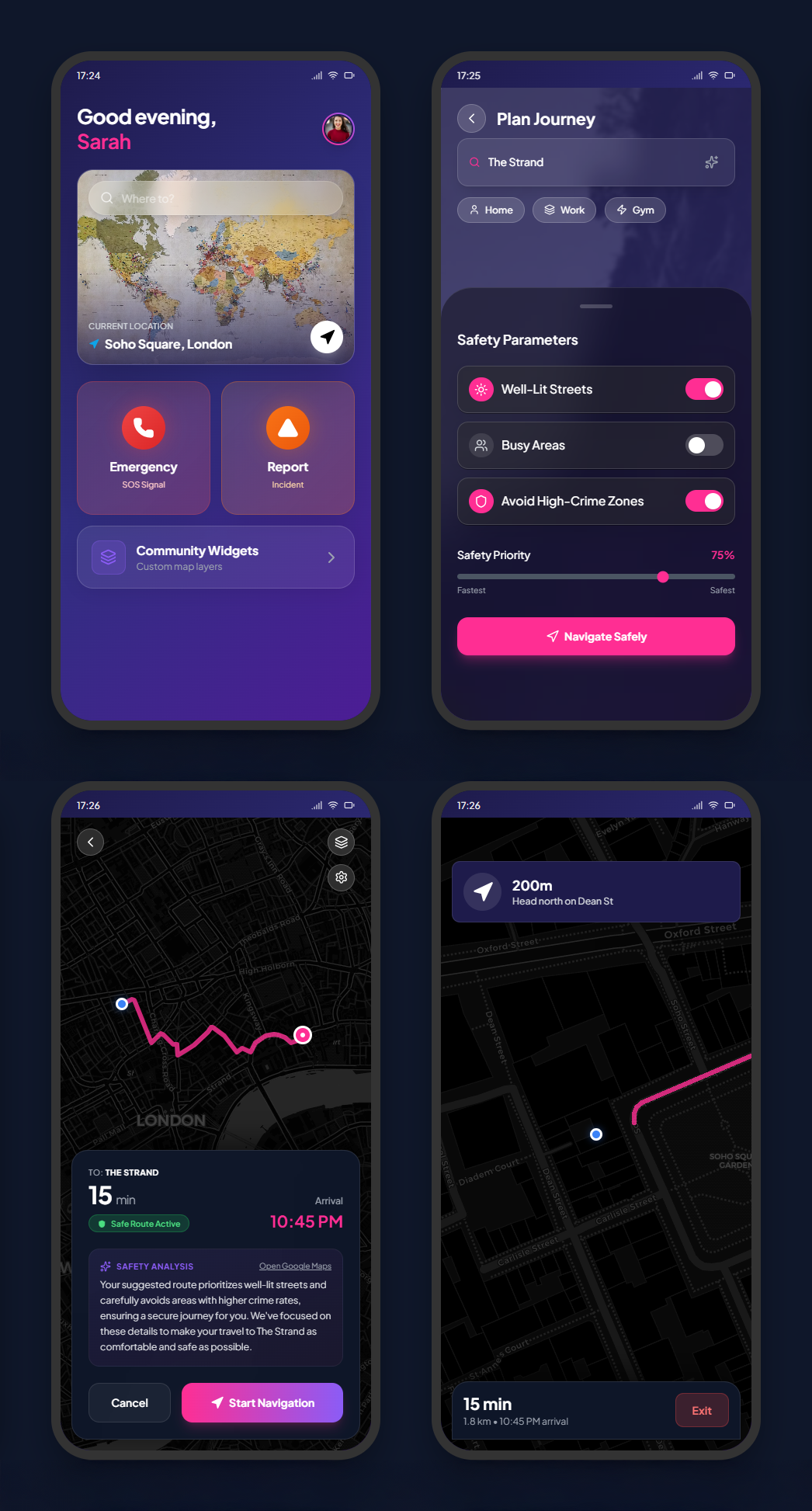
I was shocked by the fidelity of the prototype. Far from a static mockup, the buttons were clickable and animated, taking us to separate pages and simulating a functional user flow. Crucially, the app appeared to leverage Google APIs, featuring a zoomable, interactive map with a visible route line, alongside a dynamic “Safety analysis” text likely powered by Gemini.
Combining Strategy, Ethics, and Speed
This hackathon showed the great results possible when designing thoughtfully and responsibly is paired with the speed of modern AI tools for building prototypes.
The SOGLAB canvases gave us the necessary structure to thoroughly address the ethical aspects of product design. This helps ensure that the digital products we build are not only functional but also responsible and human-centred.
The performance of Google Stitch and Google AI Studio confirmed the value of AI for generating and testing preliminary prototypes. Moving from a complex concept to a functional app UI—featuring navigation, clickable buttons, and Google Maps integration—in minutes, proves we can accelerate the delivery of impactful solutions beyond previous expectations.
This hackathon highlighted a vital truth about the future of digital products: AI doesn’t take the place of ethics; it helps us think ethically, faster. The speed offered by tools like Stitch and AI Studio is amazing, but their output quality depends on the human judgement and ethical scrutiny applied to the input. The biggest challenge for designers is not speed, but ensuring that everything we build is fundamentally safe, useful, and aligned with human values.


